Tailnet Gateway

The real firmware Web UI

These images show the actual embedded Web UI, not design mockups or AI-generated images. The Firmware 3.0 examples below render the shipped interface with invented documentation data; the v2.0.0 panel captures were taken from a real ESP32-S3. Neither exposes the owner's network details.

The same built-in interface works in a desktop or mobile browser. The captures are shown in English; the current firmware offers English, Italiano, Español, 简体中文, Français and Deutsch. No separate administration app is required.

Status at a glance
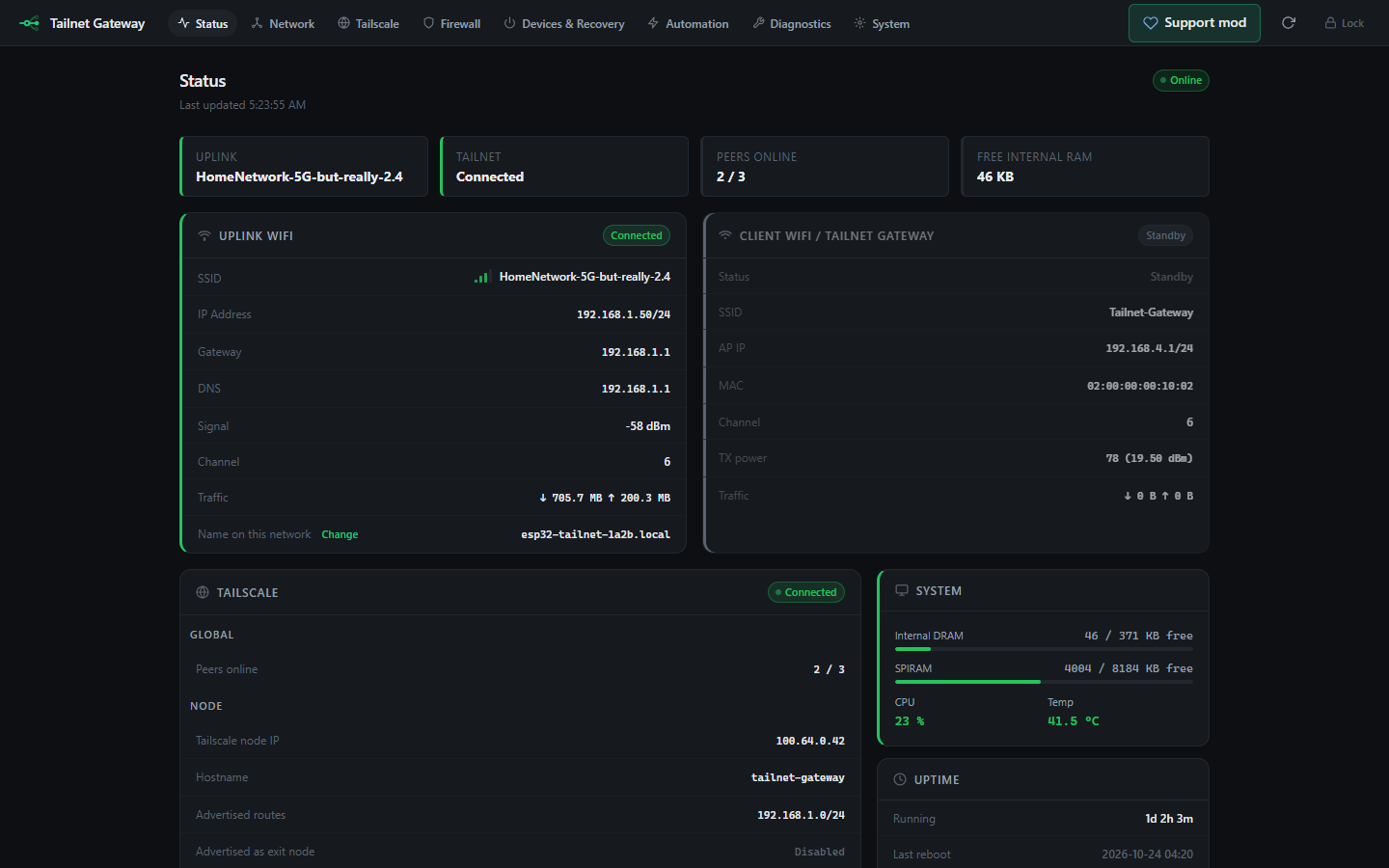
ESP32 Tailscale gateway Firmware 3.0 Status page with uplink, tailnet, peers and free internal RAM, the uplink Wi-Fi and gateway Wi-Fi cards; example data
The actual embedded interface rendered with invented data. Counters and states shown here are examples, not a device benchmark.
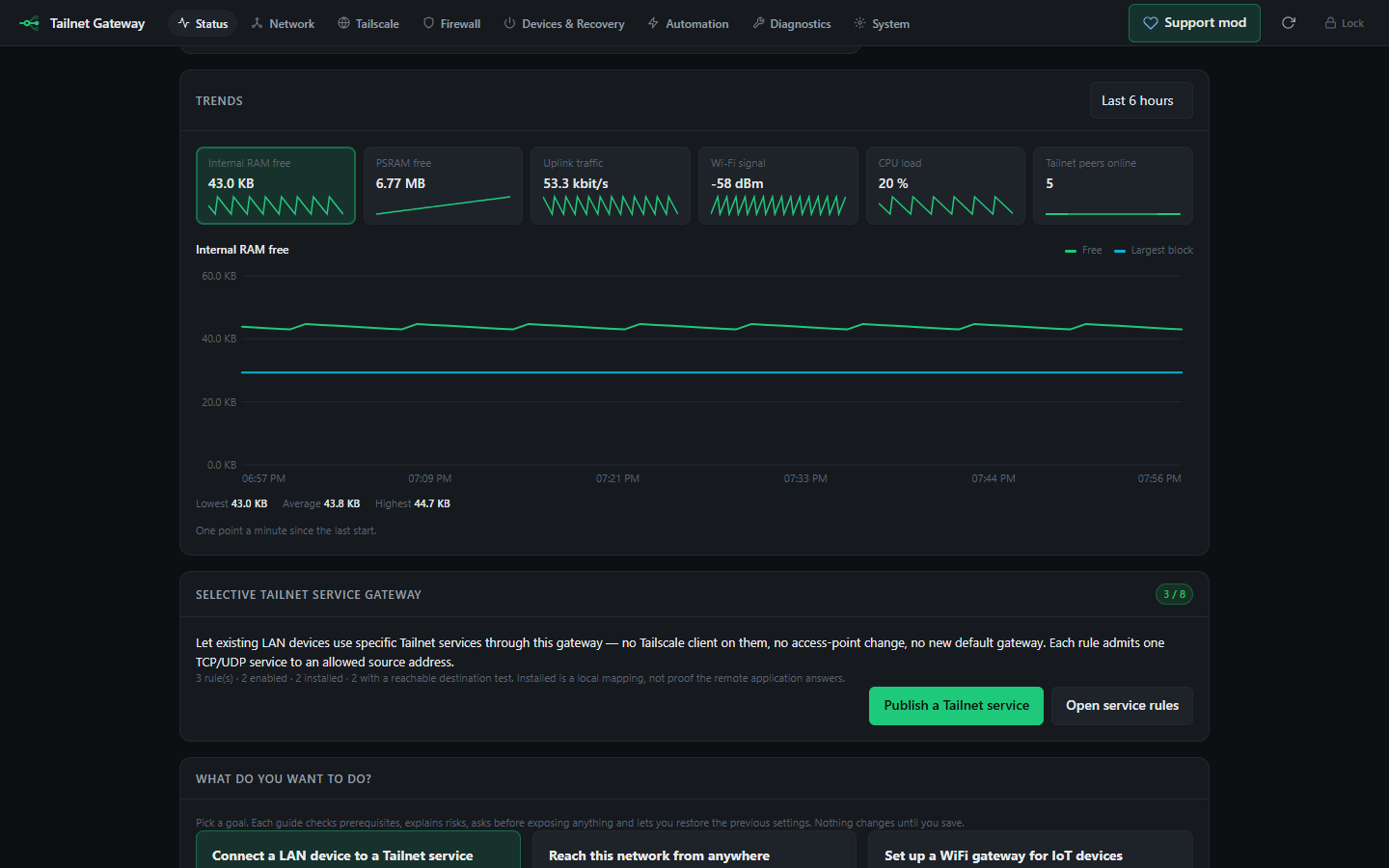
Trends card with tiles for internal RAM, PSRAM, uplink traffic, Wi-Fi signal, CPU load and tailnet peers, and a six-hour chart of free internal RAM
Trends are off by default. When on, the gateway keeps a sample a minute for 6 hours and a summary for about 45 days in its own flash; nothing is sent anywhere.

One group at a time

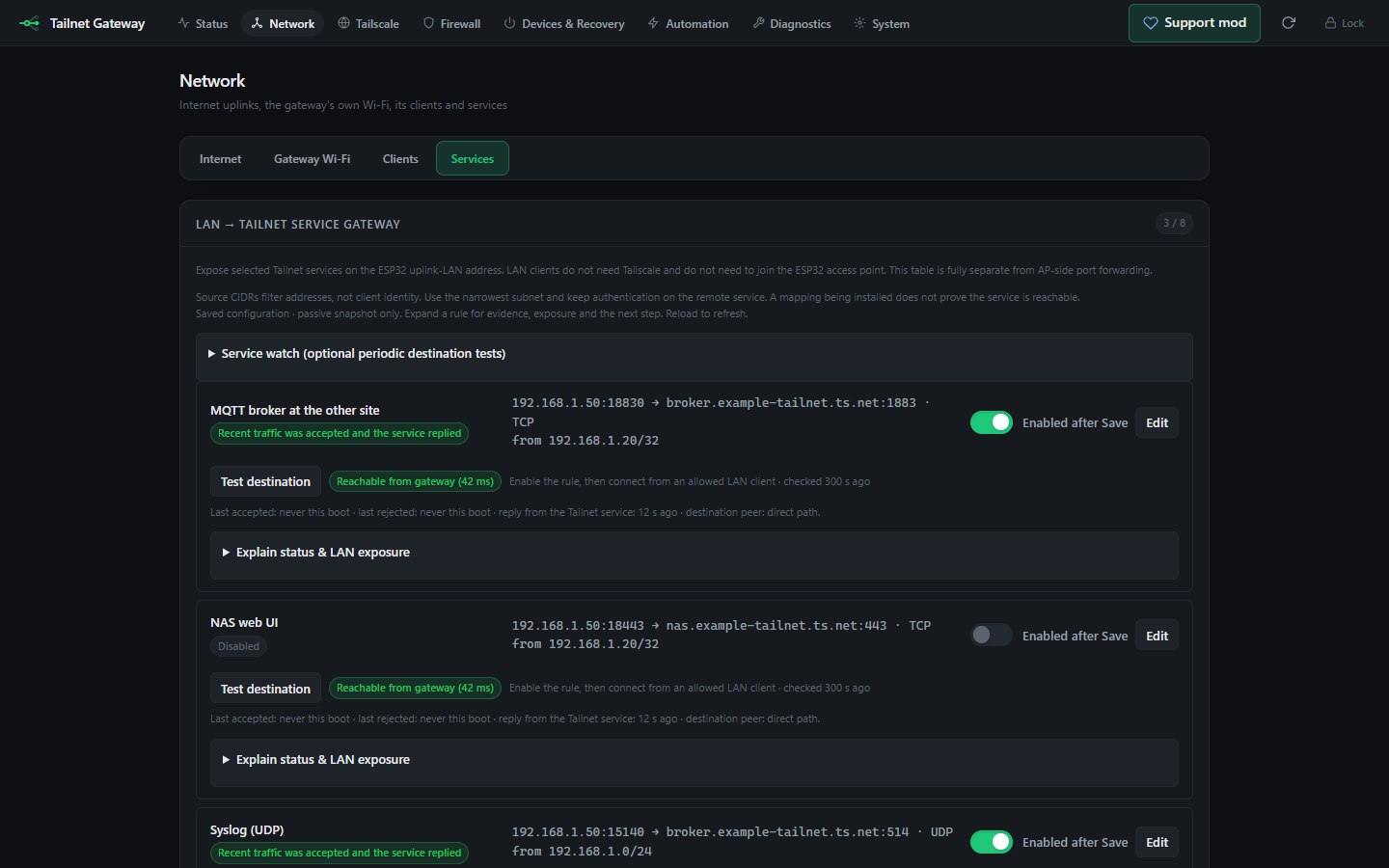
Network page with the Internet, Gateway Wi-Fi, Clients and Services groups; Services shows LAN to Tailnet rules with destination tests
Long pages show one group of cards at a time, with links straight to a group.

Event history

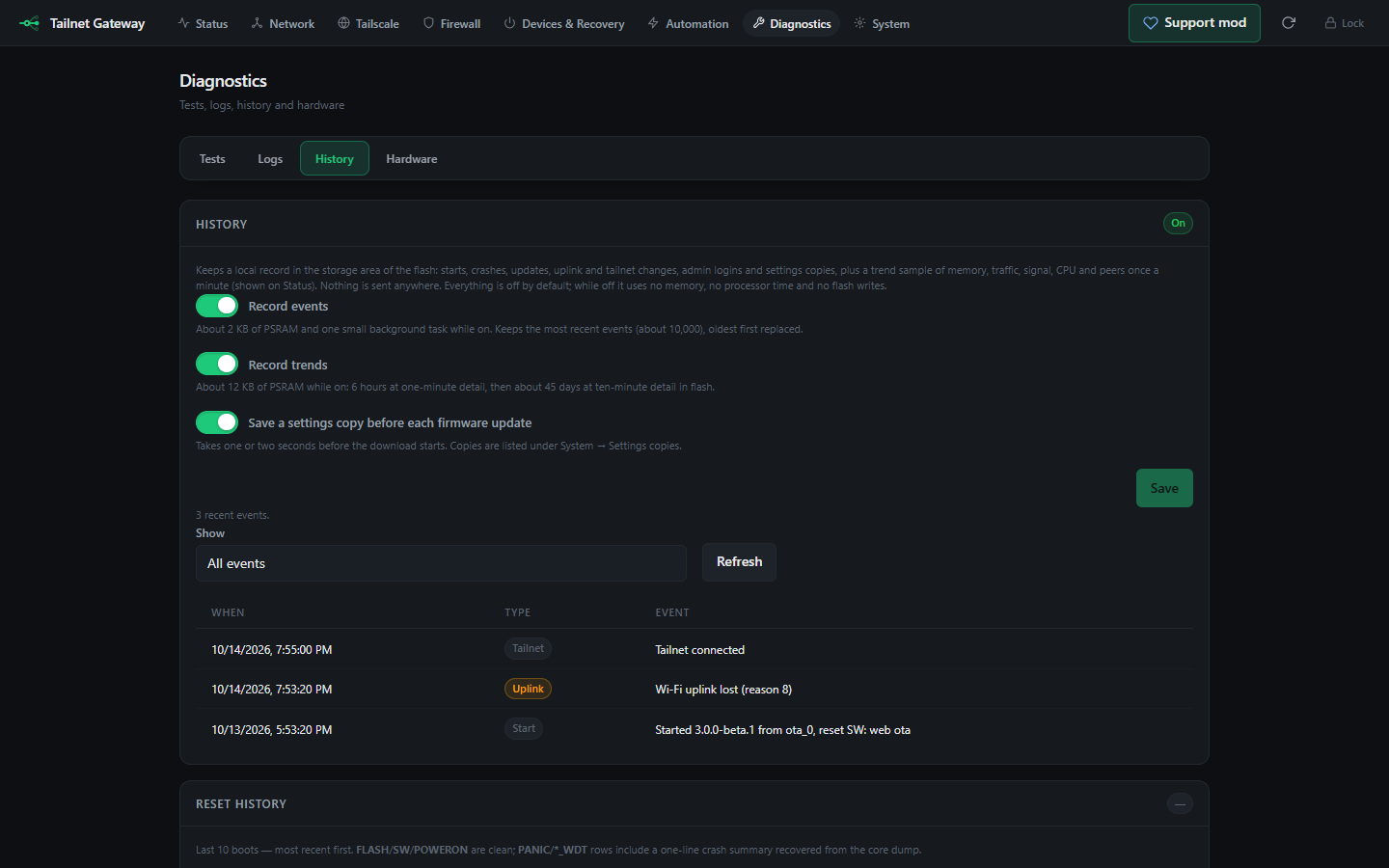
Diagnostics, History: switches for recording events, trends and a settings copy before each update, and recent events
Starts, crashes, updates, uplink and tailnet changes and failed logins, kept across restarts. Off by default.

Find the gateway after first boot

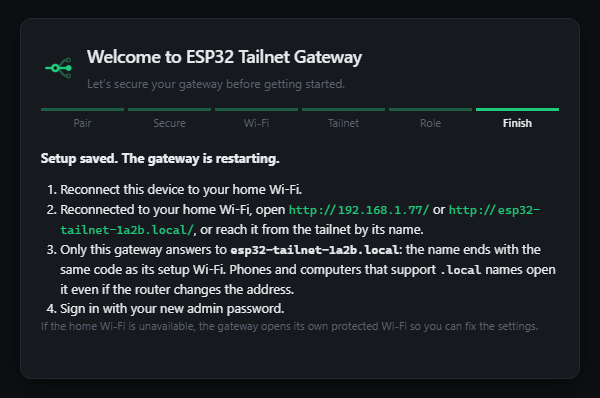
First-boot completion page showing an example LAN address and per-board esp32-tailnet hostname
First-boot interface with synthetic addresses, captured by the browser test fixture.

Reconnect, then open your gateway

The setup summary links to the tested LAN address and the board's unique esp32-tailnet-xxxx.local name. First boot requires physical pairing with your own board.

Follow the setup guide

Local network controls

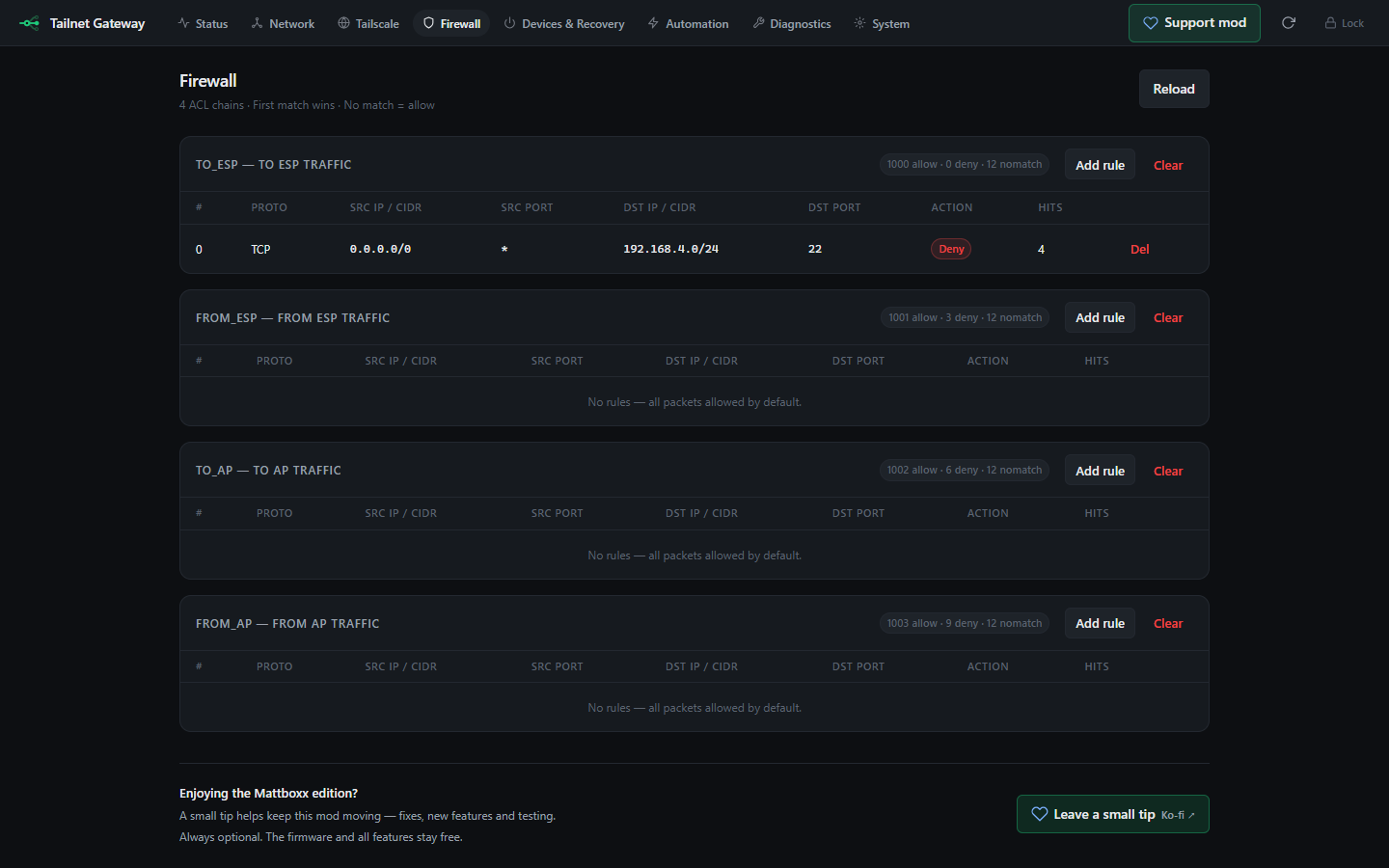
ESP32 gateway firewall Web UI showing the TO ESP, FROM ESP, TO AP and FROM AP chains with example rules and counters
Firewall interface with invented example rules. Local firewall rules and Tailnet authorization are separate controls.

Choose the job, not a wall of settings
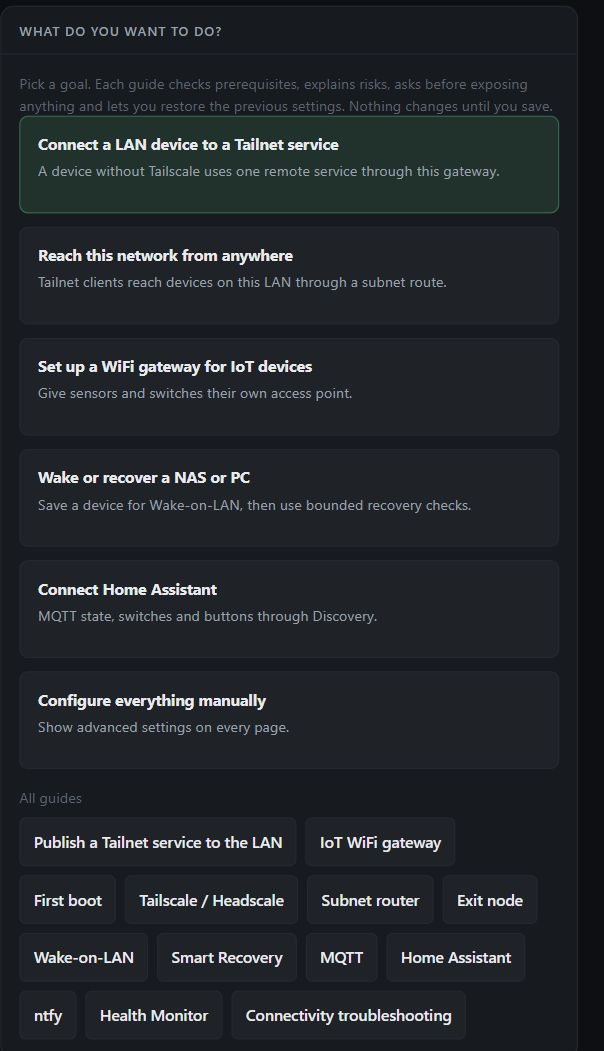
Live firmware role selection: connect a LAN device to a Tailnet service, reach this network, create an IoT WiFi, recover a NAS or connect Home Assistant
Actual goal selection panel. Open an image to see it at full size.

One device, optional roles

The dashboard links to guides for the Service Gateway, subnet routing, an IoT access point, recovery and Home Assistant. Choosing a guide does not automatically change the device configuration.

Understand the different network roles

Install Firmware

Start simple, reveal advanced controls when needed
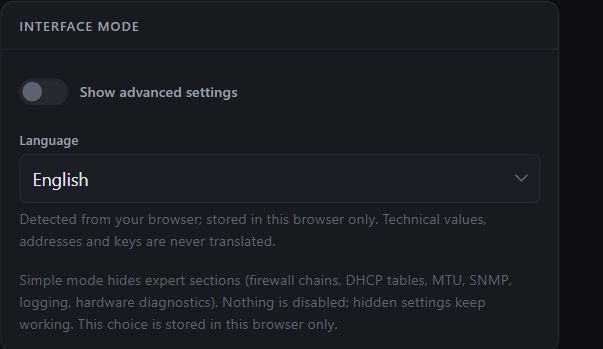
Live firmware interface settings with Simple and Advanced mode switch and browser-local language selection
Actual interface preferences. Language and visibility choices stay in the browser.

The same firmware, less visual clutter

Simple mode hides expert sections without disabling their existing settings. Advanced mode reveals the additional controls. Technical values and addresses are never translated.

Get started with the firmware

Preview a profile before applying it

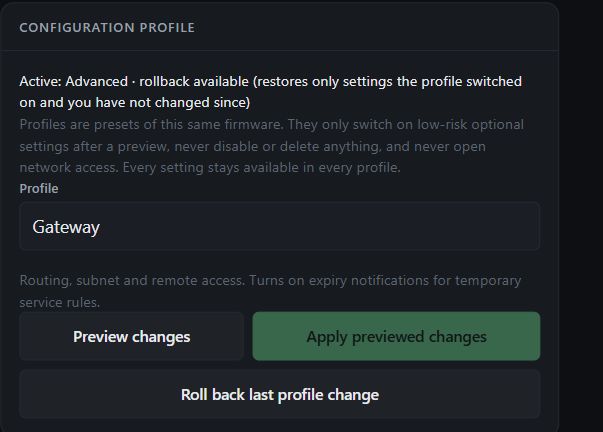
Live Gateway profile selector with Preview changes, disabled Apply previewed changes, and Roll back last profile change controls
Actual profile panel. The selected preset is not applied until you preview and confirm it.

Presets, not separate downloads

Gateway, Recovery, IoT and Monitoring are profiles of the same firmware. Presets enable low-risk optional settings after a preview; they do not silently open network access.

Use selective service forwarding or wake a NAS or PC over Tailscale.